What is Squarespace: Overview, Pricing, & Alternative
Curious to know what Squarespace is? Discover everything about this website builder, who it's for, and how you can use it to get online quickly. Explore its pricing breakdown and how you can compare it with a free alternative, Enter Pro.
If you're looking to build a professional website without touching a single line of code, Squarespace is often one of the first platforms that comes up. But the question is, "what is Squarespace?" and is it worth trying? It's an all-in-one website builder designed to help individuals, small businesses, and creatives create visually appealing websites with ease.
While Squarespace is known for its sleek templates and all-in-one platform, it may not fit everyone's needs, especially if you're on a tight budget. That's where solutions like Enter Pro as a free alternative can come into play, offering a more accessible way to get started without upfront costs. In this guide, we'll provide a detailed Squarespace review with a glimpse of a free alternative. Scroll down to learn more.
What is Squarespace: A quick overview
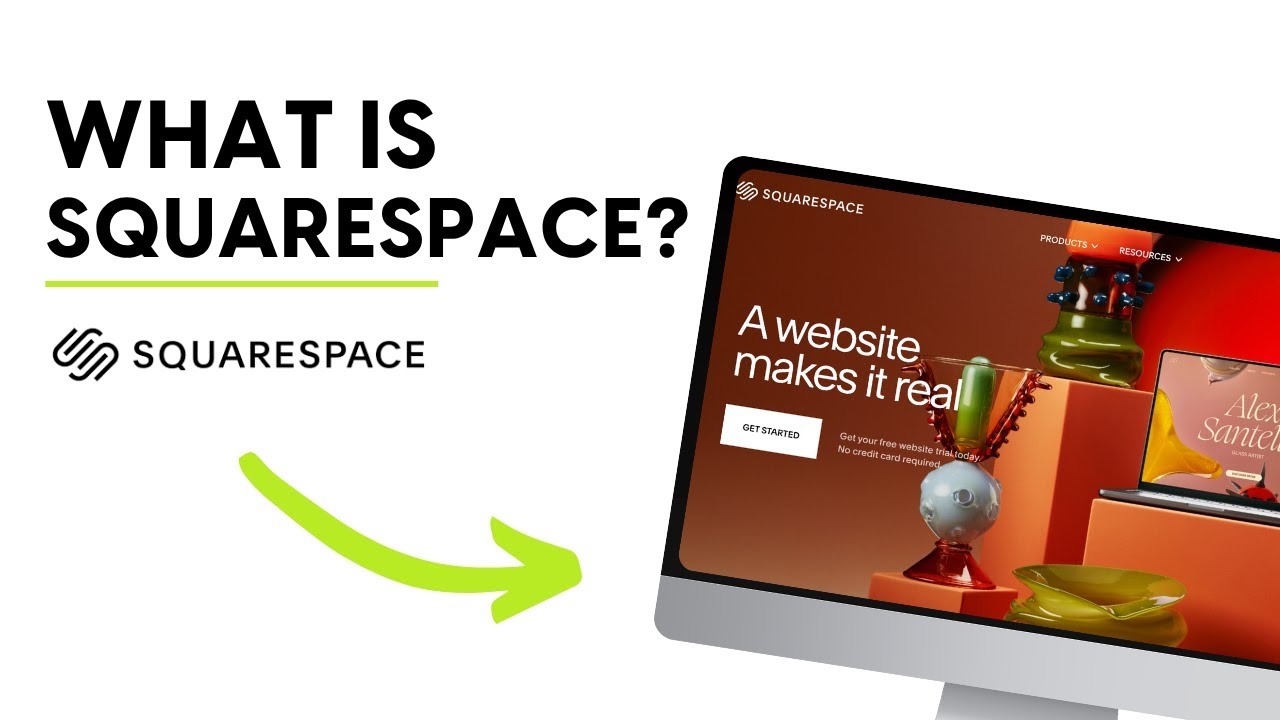
Squarespace is a website builder, content management system (CMS), and hosting platform all in one, designed for people who don't know much about coding, so you can make professional-looking websites without coding. With Squarespace, you can build, host, and manage your website all from one dashboard.
Key Features
- Drag-and-drop editor
Squarespace offers an intuitive visual editor that lets you build pages by simply adding and arranging content blocks. You can insert text, images, videos, forms, and more without any coding knowledge. While it's not completely free-form like some builders, its structured editing ensures clean, professional layouts.
- Professionally designed templates
The platform is famous for having high-quality templates made by designers. These templates are fully responsive, so your website will look great on desktops, tablets, and phones. It's easy to change the colors, fonts, and layouts to fit your brand.
- Built-in hosting and domain management
Hosting is included with Squarespace, so you don't need to purchase it separately. It provides secure, reliable hosting with SSL certificates, fast loading speeds, and automatic updates. You can also buy and manage your domain directly within the platform.
- Blogging and portfolio tools
Squarespace makes blogging easier by offering powerful features such as post scheduling, categories, tags, and a commenting system. For creatives, portfolio tools let you showcase work in visually appealing galleries, making them ideal for photographers, designers, and artists.
- E-commerce functionality
In addition, it provides an array of features to support online stores, like product listings, inventory management, secure checkout, and multiple payment options. The platform also offers tools for selling digital products, subscriptions, and services.
- SEO & analytics tools
Squarespace has built-in SEO tools, such as customizable meta titles and descriptions, clean URLs, and automatic sitemaps, that can help your site rank higher in search results. Also, Squarespace SEO features an analytics dashboard that shows you information on traffic, user behavior, and sales performance, helping you make data-driven decisions.
Who should use Squarespace
- Creatives (photographers, designers)
Squarespace is a great option for artists who want to showcase their work beautifully. It has high-quality templates and gallery features that make it easy for photographers, designers, and artists to make professional portfolios without needing to know how to code.
- Bloggers & personal brands
The platform has built-in blogging tools, such as post scheduling, categories, and clean layouts, that you can use to build a personal brand or run a blog. It helps people make their online presence look professional while putting more emphasis on content than on technical setup.
- Small businesses and startups
Squarespace has everything a small business needs to get online quickly, like website design, hosting, domain management, and basic marketing tools, all in one place. This is great for new businesses that want a simple, professional website without hiring developers.
- E-commerce beginners
If you're new to selling online, the platform's built-in e-commerce tools make it simple to get started. You don't need to know a lot about technology to use this service to list products, take payments, and handle orders. This makes it a good choice for people who are just starting out with an online store.

How the Squarespace website builder works: step-by-step guide
Step 1: Create an account with Squarespace
Start by signing up on Squarespace using your email, Google, or Apple account. Once registered, you'll be guided through a quick setup to choose the type of website you want to build (e.g., portfolio, blog, or online store). No credits are required to get started.
Step 2: Browse the templates and pick the appropriate option
You can browse many professionally designed templates after you sign up. It's easier to find a template that fits your needs because they are grouped by industry. Pick a design that closely matches your vision, as it will be the basis of your site.
Step 3: Edit the template and add your content
Once you choose the template, it's time to add a personal touch. The tool lets you change your template by adding your own text, images, videos, and pages using the drag-and-drop editor. Besides, you can change the colors, fonts, and layouts to fit your brand.
Step 4: Set up a domain
Next, connect a custom domain to your site. You can either purchase a new domain directly through Squarespace or link an existing one. While you can use pre-made domains, a custom domain still makes your website look more professional and trustworthy. All paid plans in the Squarespace website builder come with a free domain for the first year.
Step 5: Publish your website to go live
Once everything is ready, hit the publish button to make your website live. Squarespace handles hosting and security, so your site becomes accessible to visitors instantly, with no additional setup required.
Squarespace website pricing: How much does it cost
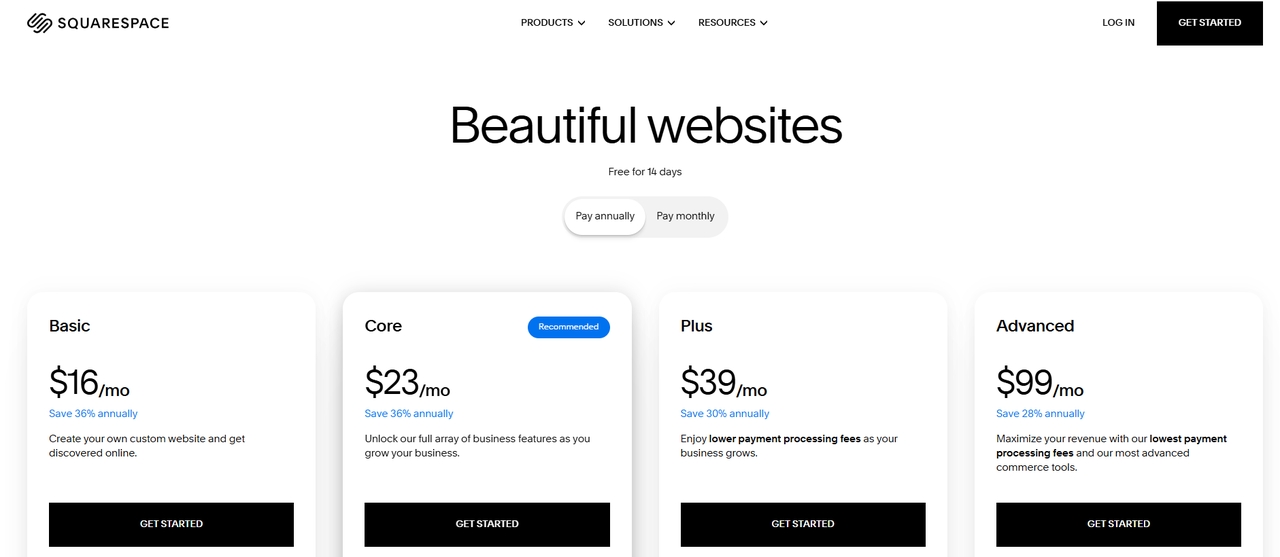
Squarespace pricing plans follow a tiered model with typically four options, each offering more advanced features as you move up. While the cheapest plan costs $16, you can expect to pay up to $99 for an advanced option.
Plan Breakdown
- Basic
Starting at $16, it is the most affordable plan, ideal if you just need a clean, professional website without advanced features. The plan includes hosting, templates, and basic website tools, but no full e-commerce support.
- Core
The cost of Squarespace Core plan is $23, and it is ideal for small businesses needing more flexibility. The plan comes with advanced customization options, marketing tools, and basic selling features.
- Plus
Starting at $33, the Plus plan is suitable for creators and small online stores looking for a tool with basic eCommerce features.
- Advanced
Squarespace Advanced plan costs $99. It is ideal for full-scale e-commerce businesses and includes everything in lower plans plus advanced tools like abandoned cart recovery, subscription selling, advanced shipping and discounts, and more.
Pros & cons of Squarespace
Pros
- Easy to use: One of the biggest advantages of Squarespace is its intuitive drag-and-drop interface. You can build and customize a website without any coding skills, making it ideal for beginners or non-technical users.
- Stunning, professional templates: Squarespace is widely known for its high-quality, designer-made templates. These templates are modern, responsive, and visually appealing—perfect for portfolios, blogs, and business websites.
- All-in-one platform: It combines website building, hosting, domain management, and security in one place. This eliminates the need for third-party services and simplifies the entire website creation process.
- Built-in e-commerce & marketing tools: Squarespace includes integrated e-commerce features like product management, payment processing, and marketing tools. This makes it easy to start selling online without installing extra plugins.
Cons
- Limited customization: While easy to use, the platform is relatively structured. Advanced users may find it restrictive compared to more flexible platforms, especially when trying to deeply customize design or functionality.
- No free plan available: Unlike some tools, Squarespace does not offer a free plan; only a limited free trial. This can be a drawback for beginners on a tight budget.
- Limited Squarespace support options: Although support is available 24/7 via chat and email, there is no phone support, which can be inconvenient when you need immediate help.
Squarespace reviews: What users actually think of Squarespace
- The Good:
Users often praise Squarespace for being easy to use, making it simple for beginners to build professional websites without coding. One of the best things about it is its well-designed templates, which are great for artists who want portfolios that look good. A lot of people also like the all-in-one setup, which includes hosting, design, and built-in tools. This saves time and makes things easier.
- The Bad
On the downside, users often feel limited by Squarespace's advanced customization options, as its structured editor can be restrictive. Customer support is another common complaint, with slow response times and no quick support.
- The Verdict:
Squarespace is a powerful and reliable website builder that excels in design, ease of use, and all-in-one convenience. It's an excellent choice for beginners, creatives, and small businesses that want to launch a polished website quickly without technical complexity. However, it comes with clear trade-offs—particularly in customization flexibility, scalability, and support. As your needs grow more advanced, these limitations can become more noticeable.
Meet Enter Pro: A free, smart alternative to Squarespace
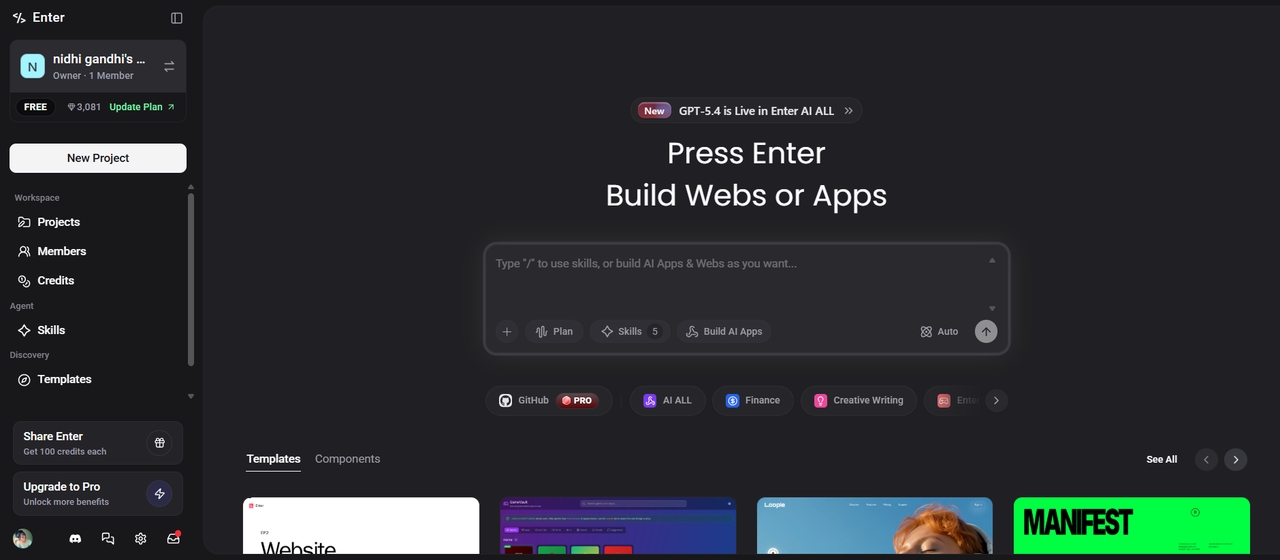
While Squarespace focuses on templates and visual editing, Enter Pro represents a new, modern approach to building websites. It's an AI Dev Agent that allows you to create websites and apps simply by describing what you want in a natural language. Instead of manually designing pages, Enter Pro uses AI to automatically generate layouts, code, and functionality, making it feel more like "talking to a developer" than using a traditional builder.
Key benefits:
- Faster website creation using AI
What might take hours (or days) for traditional builders can be done in minutes by prompting the AI to build and refine your site instantly.
- AI-powered website and app development
Enter Pro, the AI app builder, uses a conversational interface where you describe your idea, and the platform generates the full website or app—including frontend and backend logic.
- Ready-made templates
Enter Pro still offers templates, but they work differently. Instead of being fixed designs, templates serve as starting points that the AI can customize and expand to meet your needs. This gives you both structure and flexibility without being locked into a rigid layout.
- 100% code ownership
Unlike most platforms, Enter Pro provides actual code output. This means you fully own your website or app and can modify, export, or scale it outside the platform, thus giving you more long-term control and flexibility.
Final checklist: Squarespace vs Enter Pro
The comparison table below highlights the key differences between these two distinct approaches to digital creation. Find them out and check which tool is your favorite:
| Feature | Squarespace | Enter Pro |
| Platform type | All-in-one hosted SaaS | AI-native development environment |
| Core technology | Template-based visual editor | Natural language "Vibe Coding" |
| Best for | Portfolios and small business sites | Web apps, chatbots, and automation |
| Customization | Restricted to "Fluid Engine" grid | Full code control (Frontend & Backend) |
| Integrations | Native extensions (limited) | Unified API (GPT, Claude, Gemini, etc.) |
| Maintenance | Fully managed by the platform | Automated deployment & monitoring |
Choose Squarespace if:
- You need a "set it and forget it" solution. It is ideal for users who want hosting, security, and a domain managed entirely under one roof without touching code.
- Aesthetics are your primary goal. You want access to world-class, designer-made templates that look professional out of the box for portfolios, blogs, or local businesses.
- You are building a standard content site. Your project involves common elements like galleries, appointment scheduling, or a straightforward online store.
Choose Enter Pro if:
- You are building a web app, not just a website. You need a platform that can handle complex logic, custom databases, and interactive features beyond static pages.
- You want to leverage "vibe coding." You prefer describing what you want in plain language and having AI generate the frontend and backend infrastructure in real-time.
- You need high-velocity iteration. You are developing a digital product that requires constant updates and functionality shifts that traditional drag-and-drop templates cannot support.
Conclusion
Squarespace stands out as a powerful website builder thanks to its beautiful design templates, ease of use, and all-in-one simplicity. However, its pricing structure and lack of a free plan can be limiting, especially for users who are just starting out or working with a tight budget. As your needs grow, upgrading to higher-tier plans can also become expensive. That's where Enter Pro comes in, which offers faster development, greater flexibility, and more control—helping you build and scale without the same cost barriers. Sign up for Enter Pro today and turn your big idea into reality without paying any upfront cost.
Frequently asked questions
Is Squarespace free to use?
No, Squarespace is not free. Pricing starts at around $16/month for the Basic plan and can go up to $99/month for the advanced plan, depending on the features you need. This makes it a significant investment for beginners or small businesses on a tight budget.
Is Squarespace good for beginners?
Yes, Squarespace is very beginner-friendly. It's designed for users with little to no coding experience, offering a drag-and-drop editor that makes it simple to build pages, add content, and customize your website. Its pre-built, designer-quality templates allow anyone to create a polished and professional site without technical knowledge.
Can I sell products on Squarespace?
Yes, Squarespace supports online selling through its built-in e-commerce features. You can list and sell physical products, digital goods, and services, manage inventory, and accept payments. Advanced tools, such as subscription selling, abandoned cart recovery, and discounts, are available on higher-tier Commerce plans.
What is the best free alternative to Squarespace?
While there are many free options available online, the best tool depends on your needs, preferences, and objectives. If you're looking for a free and modern alternative, Enter Pro is one of the best options. Enter Pro is an AI-powered development assistant that generates websites and apps automatically based on your prompts.