
What Are User Experience Basics? UX Design Explained
Struggling to keep users engaged? Understanding user experience basics is the first step. From usability to user-centered design, this guide breaks down every concept you need to build products people actually enjoy using.
Have you ever left a website or app in frustration after just a few seconds because you couldn’t find what you were looking for?
You’re not alone. Users abandon apps and websites instantly when they encounter confusing navigation, unclear buttons, slow loading times, or overwhelming interfaces. These friction points don’t just annoy users — they directly damage engagement, conversions, and brand trust.
This is exactly where user experience basics come in. User experience (UX) focuses on how people feel when interacting with a digital product and aims to create smooth, intuitive, and efficient journeys that help users achieve their goals with minimal effort. While the theory is vital, bringing it to life requires the right tools. Platforms like Enter Pro are revolutionizing this process by using AI-driven "vibe coding," allowing you to transform these foundational UX ideas into functional, high-quality applications through simple natural language.
In this guide, you’ll learn the core concepts of user experience design basics, including key principles, common mistakes to avoid, and practical ways to improve usability and engagement.
What is User Experience (UX)?
User experience (UX) refers to how a person feels when interacting with a product or service. It includes everything from the ease of navigation and page load speed to the clarity of error messages and the overall emotional response.
At its core, UX is about removing friction. The goal is to make interactions smooth, relevant, and efficient so users can accomplish tasks without confusion or frustration.
Good UX examples feel effortless:
- A seamless checkout where returns are straightforward.
- Intuitive navigation that matches user expectations.
Bad UX creates hesitation, errors, and abandonment. Users judge not just how something looks, but how it works.
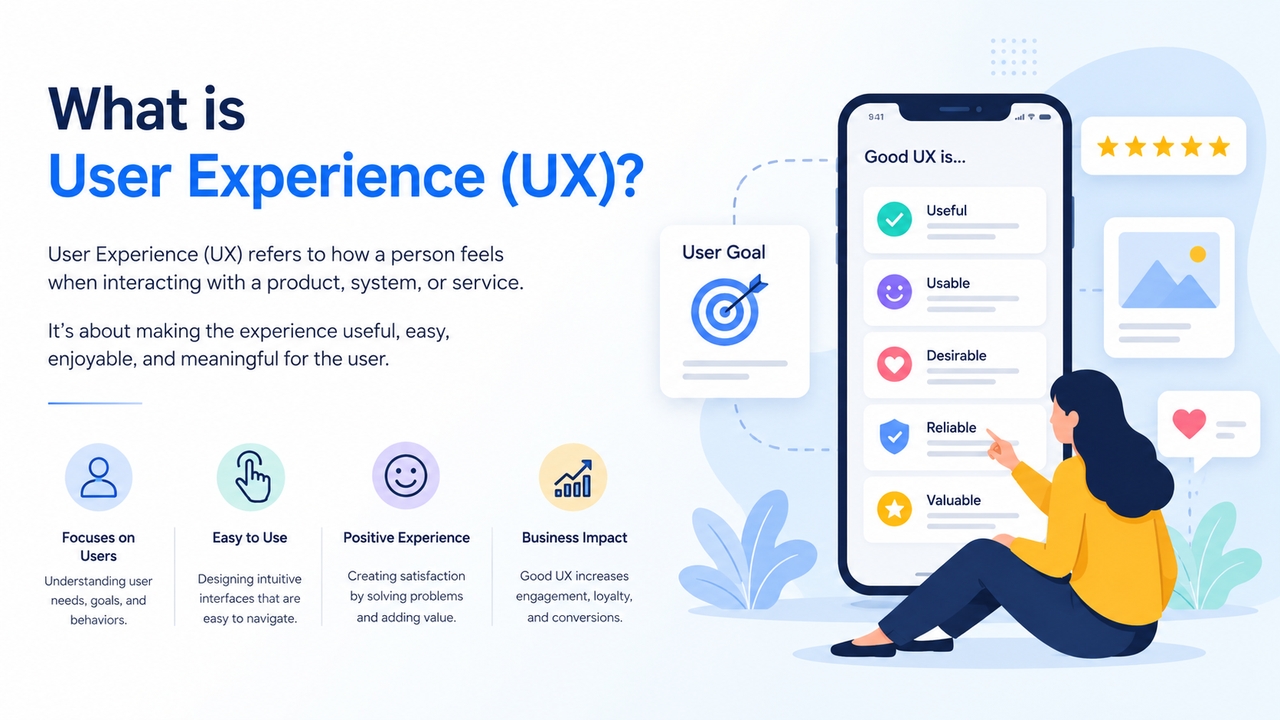
UX vs UI: Many confuse the two. UI (User Interface) focuses on the visual elements—buttons, colors, typography, and layouts. UX covers the broader journey and how the product feels to use. UI is what users see; UX is what they experience. Both are critical, but great UI without solid UX often fails to deliver results.
Why user experience basics matter in 2026
Poor UX directly hurts business metrics. High bounce rates, abandoned carts, and negative reviews often trace back to usability issues. Conversely, strong UX drives:
- Higher conversion rates
- Better retention and loyalty
- Reduced support costs
- Stronger brand perception
In competitive markets, UX has become a key differentiator. Teams that master basics of user experience design create products users love and return to.
The core principles of user experience design
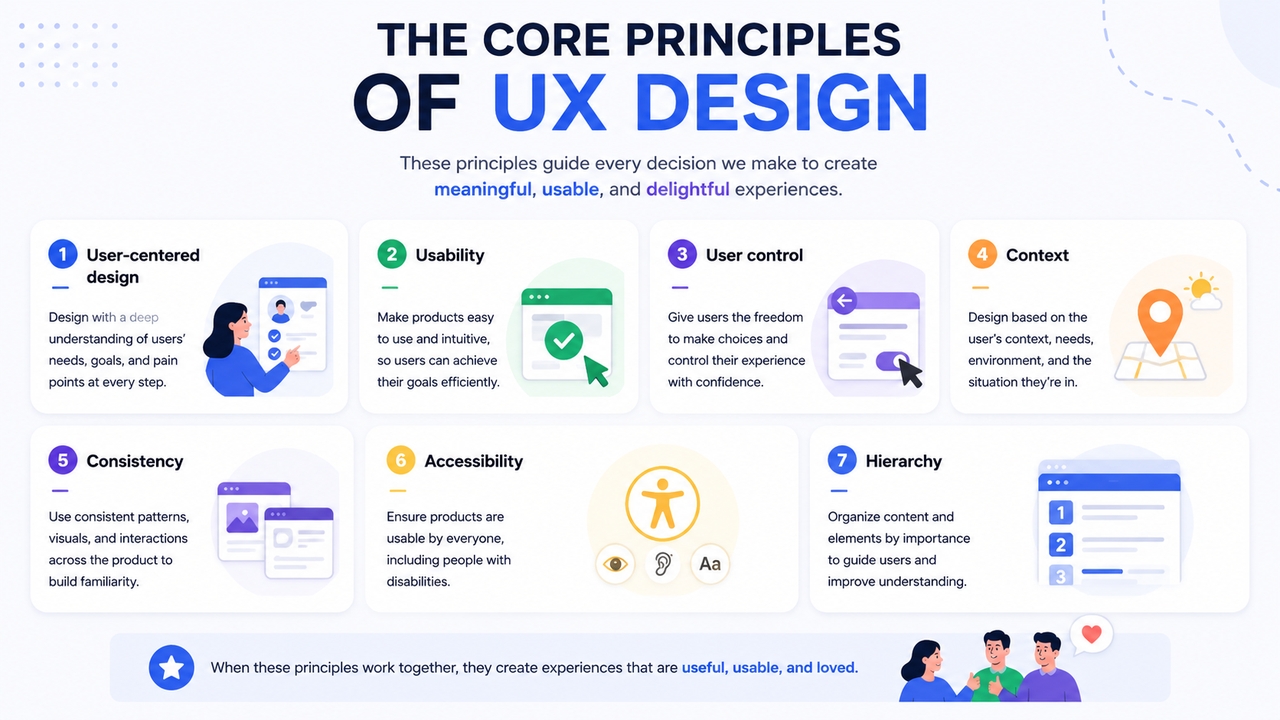
Mastering user experience design basics starts with understanding its foundational principles. These principles act as a compass to guide every design decision and help create products that users actually love.
User-centered design
User-centered design focuses on understanding the needs, goals, and behaviors of real users. Instead of making assumptions, designers rely on research, feedback, and testing to guide decisions. This ensures the final product solves actual user problems and delivers meaningful value.
Usability
A product must be easy to use. According to usability expert Jakob Nielsen, good usability includes:
- Learnability: How easily users can accomplish tasks the first time
- Efficiency: How quickly they can perform tasks after learning
- Memorability: How easily they can return after a break
- Error prevention & recovery: Minimize mistakes and make recovery easy
- Satisfaction: The overall pleasantness of the experience
User control
Users should feel in control of the interface. They must have the ability to:
- Undo or redo actions
- Exit or cancel operations easily
- Recover from mistakes without frustration
Context
Understand the environment, situation, and conditions in which users will interact with your product. Are they using it on their mobile while walking, at a desk, in a hurry, or multitasking? Great UX adapts to the user’s context.
Consistency
Users should not have to wonder whether different words, situations, or actions mean the same thing. Consistency in navigation, button styles, and terminology reduces the "cognitive load"—the amount of mental effort required to use your site. If a "Submit" button is blue on one page, it shouldn't be green on the next.
Accessibility
A truly effective digital product is one that everyone can use, regardless of their physical or cognitive abilities. Accessibility is a non-negotiable pillar of UX. It involves designing for users with visual impairments, hearing loss, motor limitations, or situational challenges (like using a screen in bright sunlight).
Hierarchy
Visual hierarchy guides the user’s eye to the most important information first. By using size, color, and spacing, you can signal which elements are primary (like a Call to Action) and which are secondary. A clear hierarchy ensures that users can scan a page and understand the user experience design definition basics of your offering in seconds.
Peter Morville’s UX Honeycomb
One of the most popular models summarizes seven key qualities of great UX:
- Useful – Does it solve a real need?
- Usable – Is it easy to use?
- Desirable – Does it create emotional appeal?
- Findable – Can users easily locate what they need?
- Accessible – Can everyone use it?
- Credible – Do users trust it?
- Valuable – Does it deliver value to users and the business?
The UX design process: Step-by-step
Creating exceptional user experiences doesn't happen by chance. It follows a proven, iterative process. Whether you're a beginner or an experienced designer, following these user experience design basics will help you build intuitive and effective digital products.
Step 1: Research and empathize
Before you draw a single line, you must understand who you are building for.
- User interviews: Talk to potential users to find their pain points.
- Surveys: Gather data on user behavior at scale.
- Competitive analysis: See how others are solving similar problems. This stage defines the UX design basics by rooting the project in reality rather than assumptions.
Step 2: Define the problem
Once you have your research, synthesize it into a clear problem statement.
Key deliverables:
- User personas
- User journey maps
- Problem statements
- Success metrics (KPIs)
This stage ensures everyone in the team is aligned to what problem the product is solving and who it is solving it for.
Step 3: Information architecture & wireframing
Organize content and features in a logical way.
- Create sitemaps and navigation structures
- Design low-fidelity wireframes (basic layouts without colors or visuals)
- Focus on structure, hierarchy, and user flow
This stage is about functionality before aesthetics.
Step 4: Prototyping
Bring your wireframes to life.
- Build interactive prototypes (from simple click-through to high-fidelity)
- Simulate real user flows and interactions
- Test microcopy, button placement, and overall experience
Step 5: Usability testing
Test your prototype with real users.
- Conduct moderated or unmoderated testing sessions
- Observe where users get stuck, confused, or frustrated
- Collect both qualitative feedback and quantitative data
Rule of thumb: Testing with just 5 users can reveal 85% of major usability issues.
Step 6: Iterate and launch
UX is never "finished." Based on test results, you refine the design, re-test, and finally launch. Even after launch, you continue to monitor analytics to find new areas for improvement.
Meet next-gen tech: Accelerate your UX design process with Enter Pro
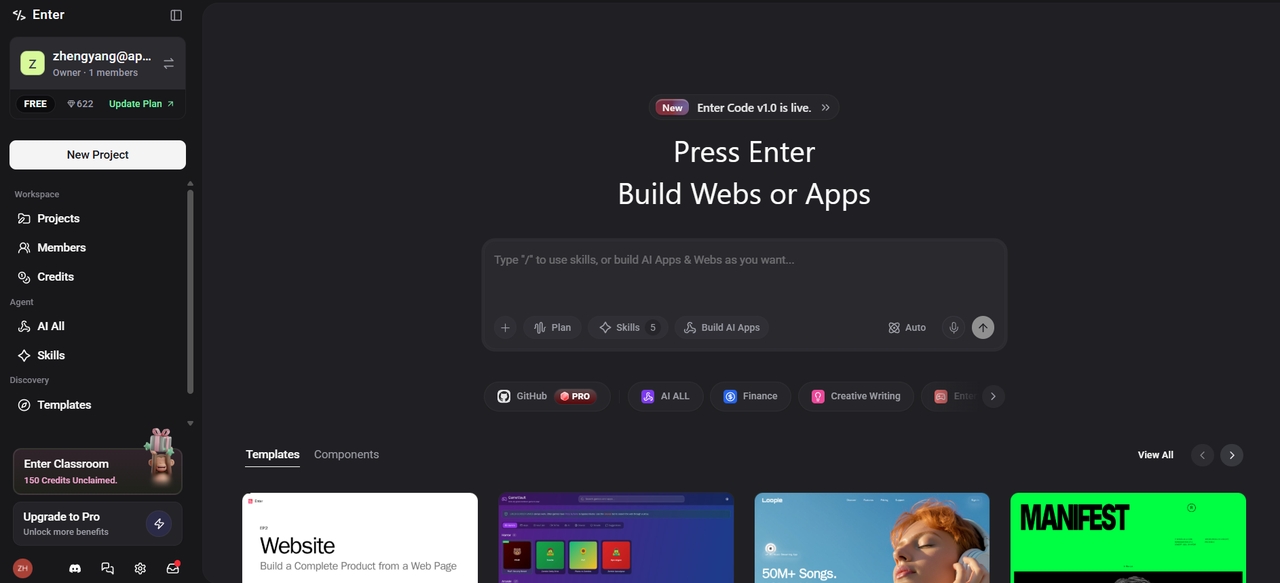
While understanding user experience basics is essential, the traditional gap between a design concept and a functional product can be a major hurdle for creators. This is where Enter Pro redefines the workflow. As a unified development environment powered by the world’s leading large language models (including GPT, Claude, and Gemini), Enter Pro allows you to build, deploy, and manage full-stack applications through simple conversational prompts.
By embracing the era of "vibe coding," Enter Pro removes the technical friction that often compromises a user's journey. Instead of spending weeks on design and development cycles, you can bring UX ideas to life in minutes and iterate rapidly.
Key features of Enter Pro for UX success:
- Vibe coding interface: Build entire websites, web apps, and automation workflows just by chatting. You don't need to be a coding expert to implement high-level user experience design basics.
- Multi-model Integration: Access a unified API that connects to the best AI models like GPT, Claude, and Gemini, ensuring your application uses the most advanced logic available.
- One-click deployment: Move from a private draft to a live, secure cloud environment instantly. This allows for rapid usability testing and real-time iteration based on user feedback.
- Custom AI agents: Beyond just layouts, Enter Pro lets you build intelligent agents to handle repetitive tasks, customer support, and data management, ensuring the "behind-the-scenes" UX is just as smooth as the interface.
- Full code ownership: Unlike standard no-code builders, Enter Pro provides code export options, giving you the flexibility to refine your project or integrate it into existing professional repositories.
Common UX pitfalls to avoid
Even with a solid understanding of user experience basics, it’s easy to fall into common design traps that hurt usability and frustrate users. Avoiding these pitfalls can significantly improve the overall experience.
Overcomplicating the interface
Adding too many features, elements, or options can overwhelm users. A cluttered interface increases cognitive load and makes it harder for users to focus on their goals.
Poor navigation structure
If users can’t find what they’re looking for quickly, they’ll leave. Confusing menus, hidden options, or unclear labels create friction and reduce engagement.
Ignoring mobile experience
Ignoring mobile users in 2026 is a critical error. Many teams design for desktop first and treat mobile as an afterthought, resulting in tiny buttons, slow performance, and frustrating navigation.
Lack of user feedback
When users perform actions and receive no response, it creates uncertainty. Missing confirmations, error messages, or loading indicators can make the experience feel broken.
Inconsistent design elements
Using different styles, colors, or patterns across the product confuses users. Consistency helps users learn and navigate your interface more easily.
Skipping usability testing
Launching without testing often leads to overlooked issues. Real user feedback is essential to identify problems and refine the experience.
Slow load times
Speed is a critical part of UX. Delays in loading pages or actions can cause users to abandon your product before they even engage with it.
Designing based on assumptions
Relying on guesses instead of real data often results in poor decisions. Always validate ideas through research and user insights.
Conclusion
Mastering user experience basics is essential for building digital products that users love and return to. By understanding core UX principles, following a structured design process, avoiding common pitfalls, and prioritizing user needs, you can significantly improve engagement, conversions, and customer satisfaction.
Great UX isn’t about flashy visuals — it’s about removing friction, providing clarity, and creating intuitive experiences that feel effortless. With Enter Pro, you can now put these user experience design basics into practice faster than ever. Turn ideas into testable prototypes within minutes, iterate based on real feedback, and build user-centered products with confidence.
FAQs
What is user experience (UX) in simple terms?
User experience (UX) refers to how a person feels when interacting with a digital product like a website or app. It focuses on ease of use, efficiency, and satisfaction. Good UX ensures users can achieve their goals smoothly without confusion or frustration.
What are the core principles of user experience design?
Key principles include user-centered design, usability, consistency, hierarchy, accessibility, user control, and context awareness. These principles ensure products are easy to use, inclusive, and valuable while minimizing cognitive load and frustration for users.
Why are user experience basics important?
Strong user experience basics reduce frustration, lower bounce rates, and increase conversions. They help build user trust and loyalty. In competitive markets, products with better UX stand out, leading to higher engagement, reduced support costs, and improved business results.
What are the 7 pillars of ux design?
The 7 pillars of UX design are usability, accessibility, desirability, value, credibility, findability, and usefulness. Together, they ensure a product is easy to use, meets user needs, builds trust, and delivers a meaningful, engaging experience that users can navigate and benefit from effectively.
How do you measure user experience?
UX is measured through a combination of behavioral data and direct feedback. Key metrics include task completion rate, time on task, error rate, conversion rate, churn rate, Net Promoter Score (NPS), and Customer Satisfaction Score (CSAT). Usability testing adds qualitative insight that numbers alone can't capture.